
One place to revisit
Keep supported public digital name cards and the people you meet in a single, structured view.
Networking Folio for Gov.sg Contacts
When you work closely with Gov.sg teams, useful contacts can arrive through digital name cards, QR codes, and shared links. DIGI CardFolio gives you one practical place to keep the supported public cards you receive, capture context, and return to them when the next conversation matters.
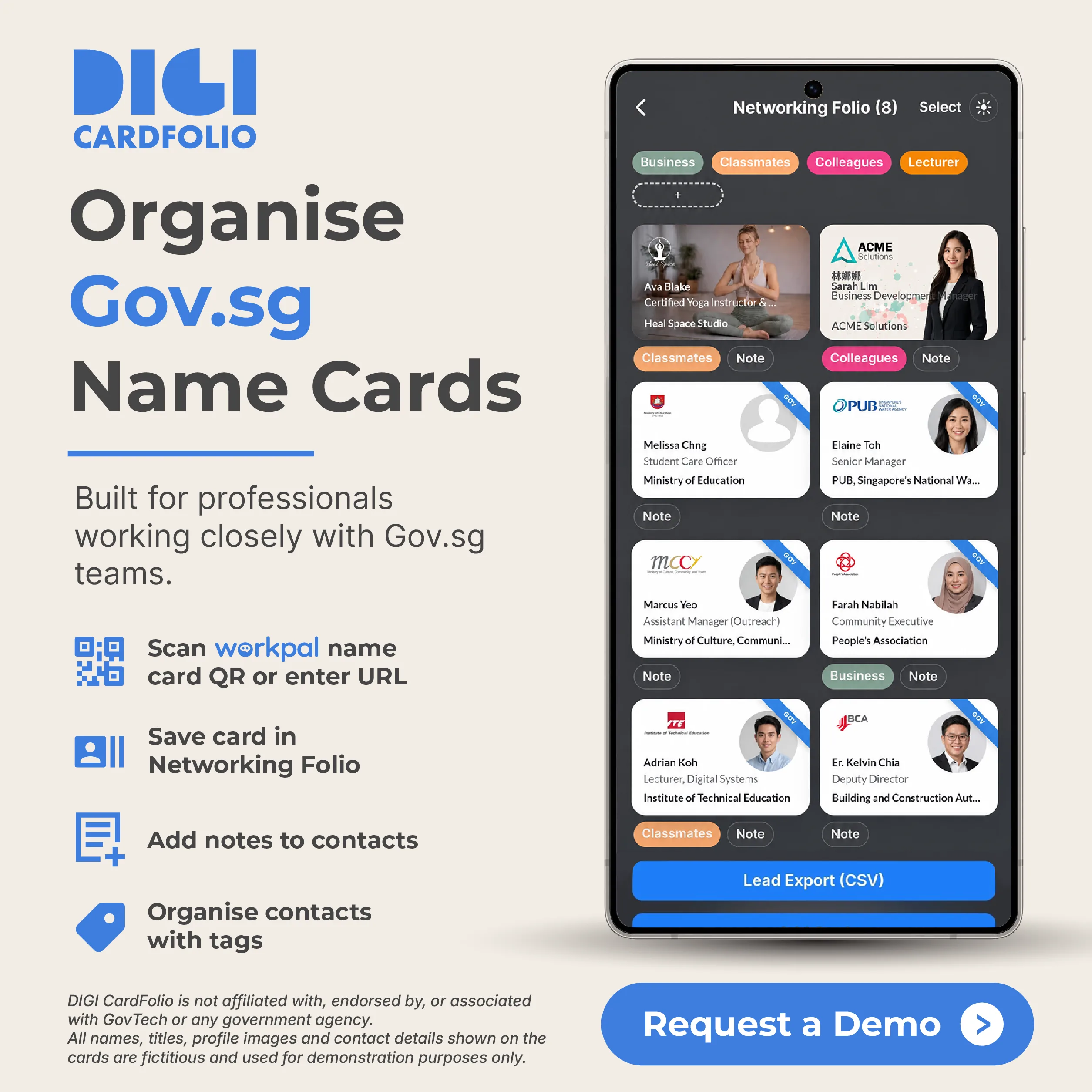
A contact is more useful when you can remember the project, event, team, or next step behind it. Instead of leaving digital name cards across chats, browser tabs, screenshots, and contact lists, use a Networking Folio to keep your networking context together.
Keep supported public digital name cards and the people you meet in a single, structured view.
Add a note about where you met, what was discussed, or the follow-up you promised.
Organise contacts around teams, projects, events, interests, or any labels that work for you.
Compatibility depends on the source card and its available sharing options. A saved card will link back to its original public source, which helps keep the contact trail clear.
Keep eligible contacts in the same DIGI CardFolio experience as your own digital name card.
Record why the person matters to your work before the details disappear into a general phone address book.
Use meaningful labels to find groups of people more easily when a project or event follows up.
Lead export is available on eligible plans when you need a CSV workflow. Plan limits apply.
DIGI CardFolio starts with your own shareable digital name card. Networking Folio extends that idea into a practical digital name card wallet for the connections you receive: your own profile stays ready to share, while your saved contacts stay ready to revisit.
Keep the people and project conversations you meet through client work easier to reconnect with.
Organise contacts from workshops, learning programmes, and collaboration sessions.
Capture follow-up context from exhibitions, briefings, and networking events.
Use a personal folio to keep the professional relationships around shared initiatives in order.
Keep a more useful record of the people behind introductions and early conversations.
Bring together the digital cards you receive without relying solely on screenshots or chat history.
A saved public card link can be easier to revisit than a contact entry without the original context.
Notes and tags support the way you group projects, stakeholders, events, and follow-up tasks.
Use a dedicated networking space for people you meet professionally while keeping your personal contacts simple.
You can use Networking Folio to keep supported public Gov.sg digital name card links and the contacts you receive together. Compatibility depends on the source card and its available sharing options.
No. DIGI CardFolio is independent and is not affiliated with, endorsed by, or associated with GovTech, Workpal, or any Singapore government agency.
Yes. Networking Folio helps you organise saved connections with notes and tags for easier follow-up.
Lead export is available on eligible DIGI CardFolio plans. Check your plan for the current limits and availability.
Organise your network
Start a free DIGI CardFolio account, or talk with us about a team demonstration.
Important: DIGI CardFolio is not affiliated with, endorsed by, or associated with GovTech or any Singapore government agency. Gov.sg and Workpal names, marks, and services belong to their respective owners. Names, titles, profile images, and contact details shown in the illustration are fictitious and used for demonstration purposes only.
Start free and share your live, updateable card by QR code or link.